Source of truth
Unit 88
56-seat motorcoach
Assigned to Maya J.
Booking type
ServiceShuttle
TypeIndividual seat
One bus runs three kinds of trips today. Conflict checks flag any overlap.
SOFTWARE FOR BUS OPERATORS.
Morning
Charter
Afternoon
Shuttle
Evening
Bus Tour

Proudly built in Canada!
Proudly built in Canada!
Proudly built in Canada!


0S
0S
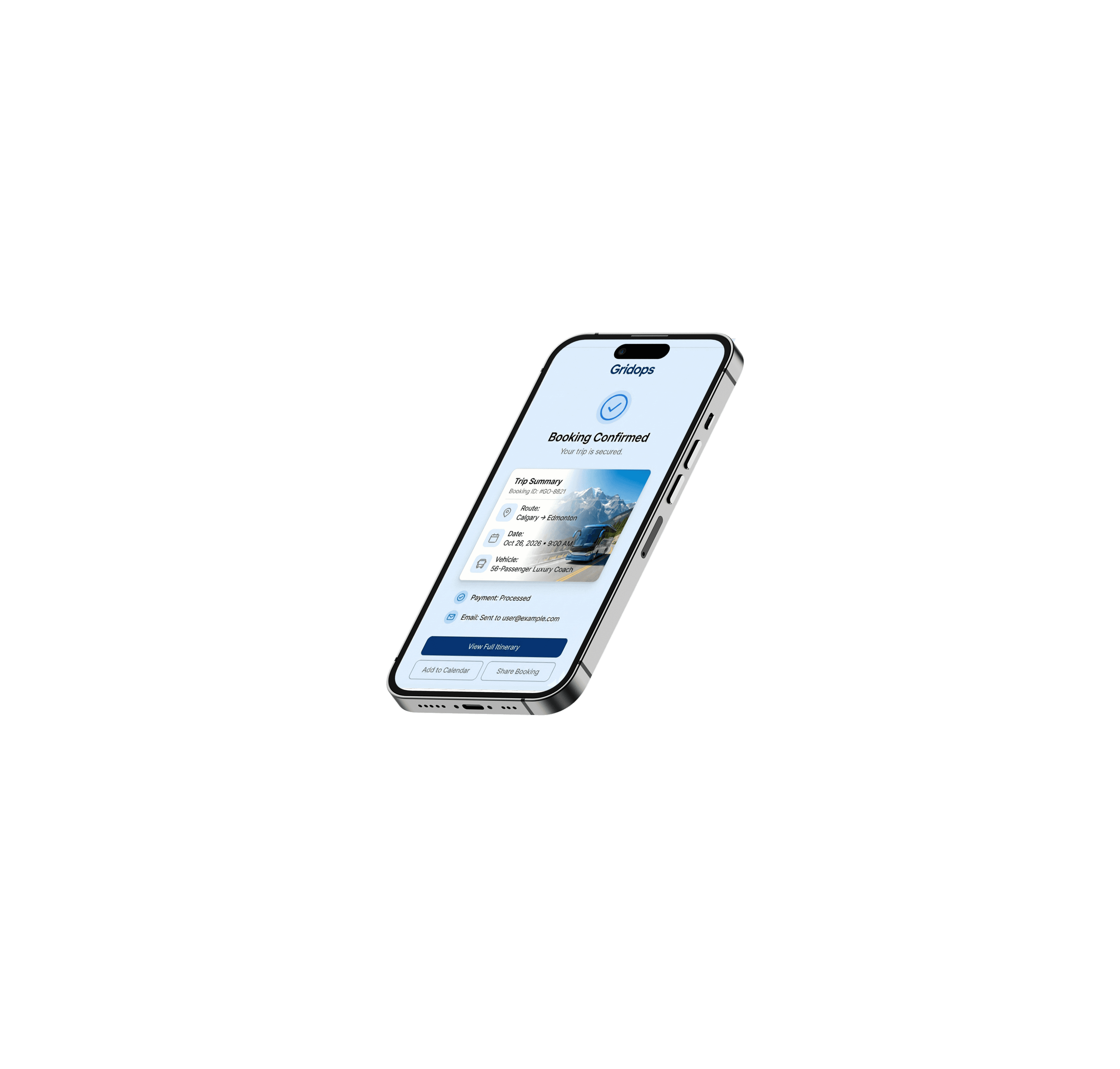
Book in 60 seconds. Not 24 hours.

QUOTE IN SECONDS
Enterprise-Grade Connectivity
RESERVATION MADE EASY
Enterprise-Grade Connectivity
RESERVATION MADE EASY
Enterprise-Grade Connectivity

Source of Truth
One coach can do shuttle, line runs, charter, and tours One day. One calendar. Zero double-books.
Source of truth
56-seat motorcoach
Assigned to Maya J.


Booking type
44 of 55 seats booked
One bus runs three kinds of trips today. Conflict checks flag any overlap.
Vehicle calendar, Thu, Oct 1, 2026
5AM
6AM
7AM
8AM
9AM
10AM
11AM
12PM
1PM
2PM
3PM
4PM
5PM
6PM
7PM
8PM
9PM
10PM
11PM
Pre-trip check
Shuttle run
North Ridge to Downtown
$420
Clean and fuel
Charter
Wedding party in Northhill
$680
Wash and check
Bus tour
Bus tour to the Rocky Mountains
$1,120
Today on this bus
Shuttle run, 6 AM
44 of 55 seats sold
Charter, 10 AM
Deposit paid
Bus tour, 3 PM
50 of 55 seats sold
Shuttle runs and tour dates hold their bus, so a charter can't take it.

Core Philosophy

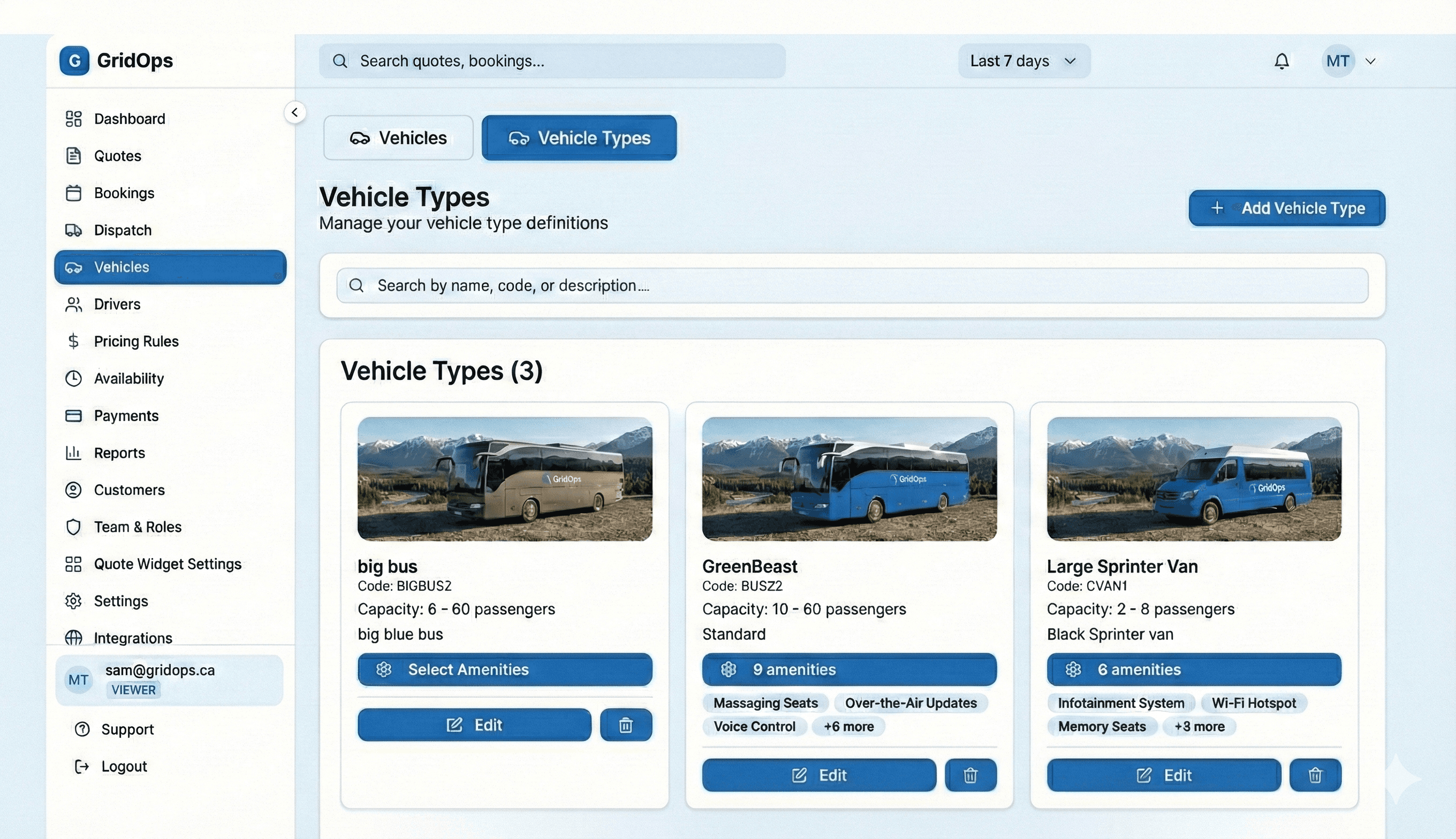
Move from manual spreadsheets to automated revenue in minutes.

Bring calm to the chaos of Dispatch

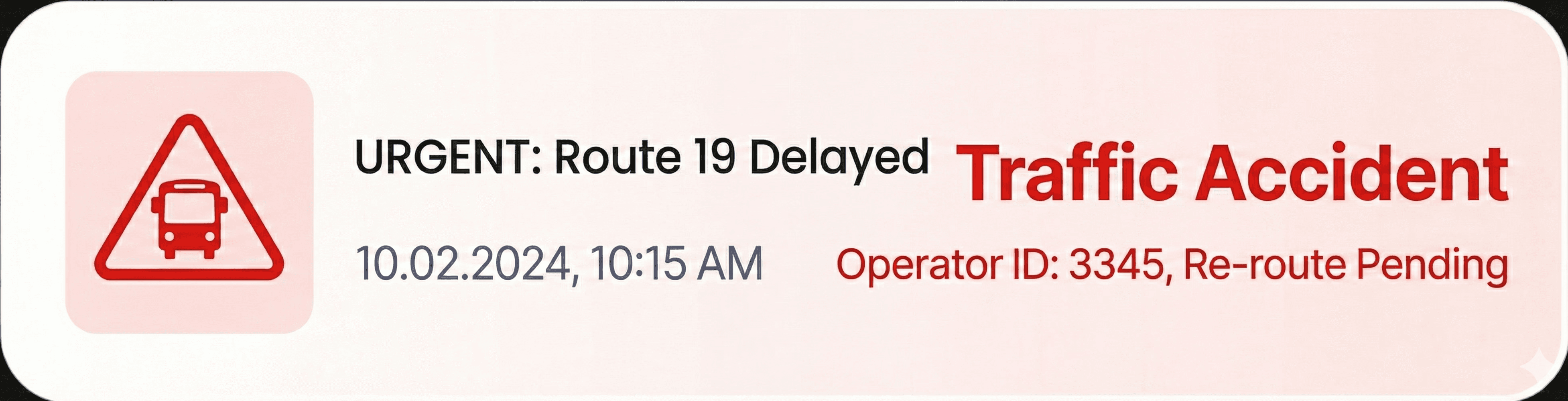
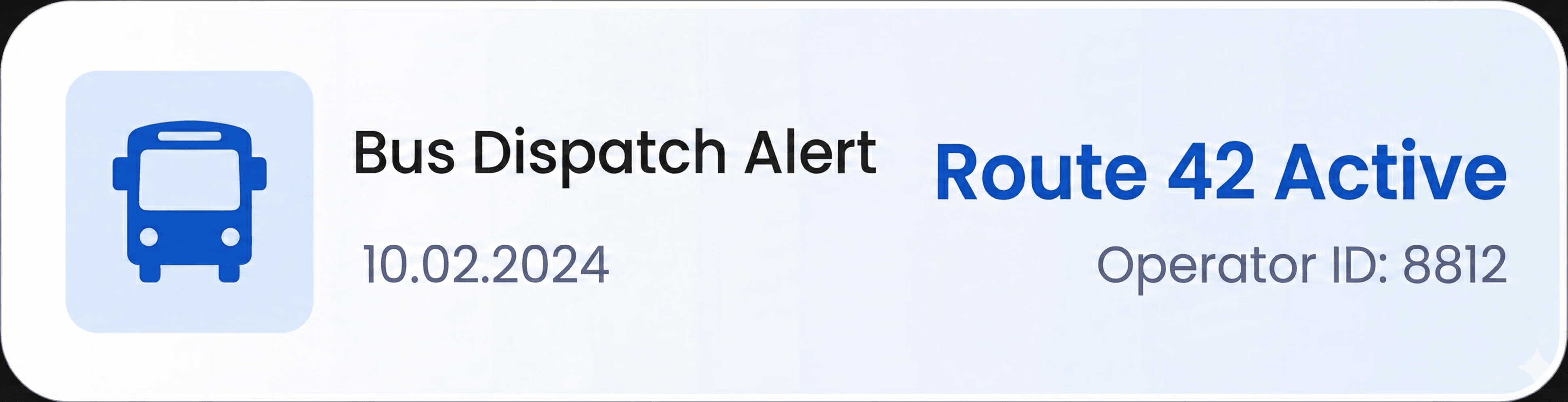

Generate reports and visualizations to analyze spending habits.


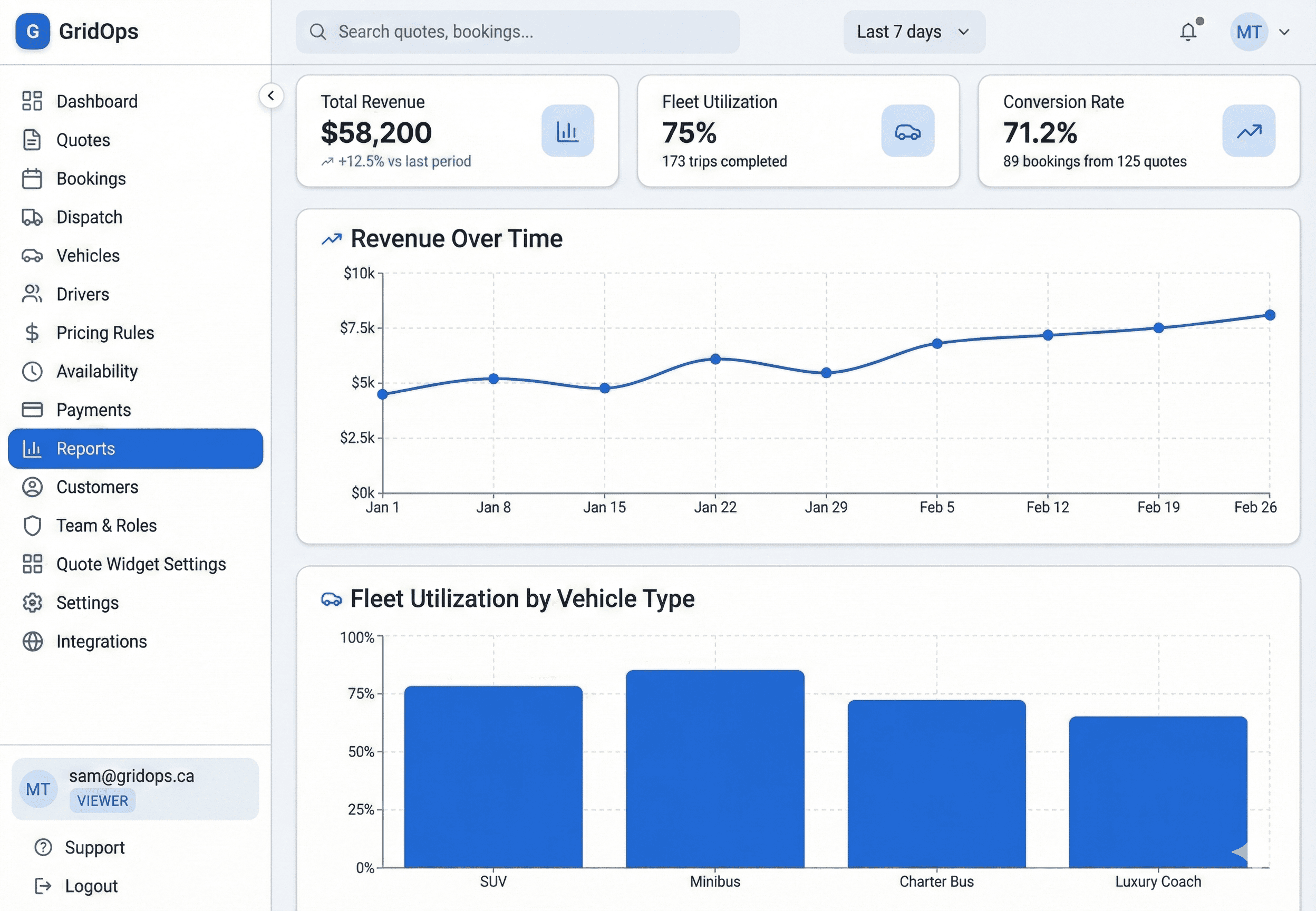
Move from manual spreadsheets to automated revenue in minutes.
Bring calm to the chaos of Dispatch
Generate reports and visualizations to analyze spending habits.
Move from manual spreadsheets to automated revenue in minutes.
Bring calm to the chaos of Dispatch
Generate reports and visualizations to analyze spending habits.

Easy to use
If you can send an email, you can use GridOps. And you will never be left figuring it out on your own.
Meet Nash, your helper inside GridOps
No manuals. No waiting on hold. Type your question in plain words, the way you’d ask a friend. Nash takes you straight to the right page and lights up the exact button to click.
Knows which screen you’re on
Takes you straight to the page you need
Lights up the exact button to click
Here any time, day or night
Ask Nash anything…
Nash
Here to help
I’ve never done this before. How do I add a bus?
No problem, I’ll walk you through it.
1. Tap Vehicles on the left.
2. Tap Add Vehicle.
3. Fill in the details and save.
Take me there
Where is Add Vehicle?
Right here. I’ve lit it up for you.
Add Vehicle
Plain English
Knows your screen
Deposit amount
The part of the price your customer pays up front to hold their booking.
Cancellation policy
A help icon on your settings
See a question mark next to a setting? Tap it. It tells you, in plain words, what it is and what it does.
Adding vehicles to your fleet
Setting up the quote widget
Setting up tax rates
70+ simple guides
Short, step-by-step guides for everything, from adding your first bus to sending your first quote. Open them any time, day or night.


Real people, happy to help
A real person when you want one
Book a call and we’ll show you around. Or choose guided onboarding, and we’ll set everything up with you and train your team.
Take it one step at a time. Help is always one tap away.
Easy to use
If you can send an email, you can use GridOps. And you will never be left figuring it out on your own.
Meet Nash, your helper inside GridOps
No manuals. No waiting on hold. Type your question in plain words, the way you’d ask a friend. Nash takes you straight to the right page and lights up the exact button to click.
Knows which screen you’re on
Takes you straight to the page you need
Lights up the exact button to click
Here any time, day or night
Ask Nash anything…
Nash
Here to help
I’ve never done this before. How do I add a bus?
No problem, I’ll walk you through it.
1. Tap Vehicles on the left.
2. Tap Add Vehicle.
3. Fill in the details and save.
Take me there
Where is Add Vehicle?
Right here. I’ve lit it up for you.
Add Vehicle
Deposit amount
The part of the price your customer pays up front to hold their booking.
Cancellation policy
A help icon on your settings
See a question mark next to a setting? Tap it. It tells you, in plain words, what it is and what it does.
Adding vehicles to your fleet
Setting up the quote widget
Setting up tax rates
70+ simple guides
Short, step-by-step guides for everything, from adding your first bus to sending your first quote. Open them any time, day or night.
Real people, happy to help
A real person when you want one
Book a call and we’ll show you around. Or choose guided onboarding, and we’ll set everything up with you and train your team.
Take it one step at a time. Help is always one tap away.
Easy to use
If you can send an email, you can use GridOps. And you will never be left figuring it out on your own.
Meet Nash, your helper inside GridOps
No manuals. No waiting on hold. Type your question in plain words, the way you’d ask a friend. Nash takes you straight to the right page and lights up the exact button to click.
Knows which screen you’re on
Takes you straight to the page you need
Lights up the exact button to click
Here any time, day or night
Ask Nash anything…
Nash
Here to help
I’ve never done this before. How do I add a bus?
No problem, I’ll walk you through it.
1. Tap Vehicles on the left.
2. Tap Add Vehicle.
3. Fill in the details and save.
Take me there
Where is Add Vehicle?
Right here. I’ve lit it up for you.
Add Vehicle
Deposit amount
The part of the price your customer pays up front to hold their booking.
Cancellation policy
A help icon on your settings
See a question mark next to a setting? Tap it. It tells you, in plain words, what it is and what it does.
Adding vehicles to your fleet
Setting up the quote widget
Setting up tax rates
70+ simple guides
Short, step-by-step guides for everything, from adding your first bus to sending your first quote. Open them any time, day or night.
Real people, happy to help
A real person when you want one
Book a call and we’ll show you around. Or choose guided onboarding, and we’ll set everything up with you and train your team.
Take it one step at a time. Help is always one tap away.
Source of Truth
Easily track and sell inventory through multiple channels
Dynamic Pricing
Auto adjust rates for weekends, holidays, or late nights.
Digital Trip Sheets
Paperless details sent directly to driver phones.
Credit Card Processing
Get paid instantly. Secure bookings with deposits.
Custom Branding
Your logo on every email. Every booking page
Feature
Rich
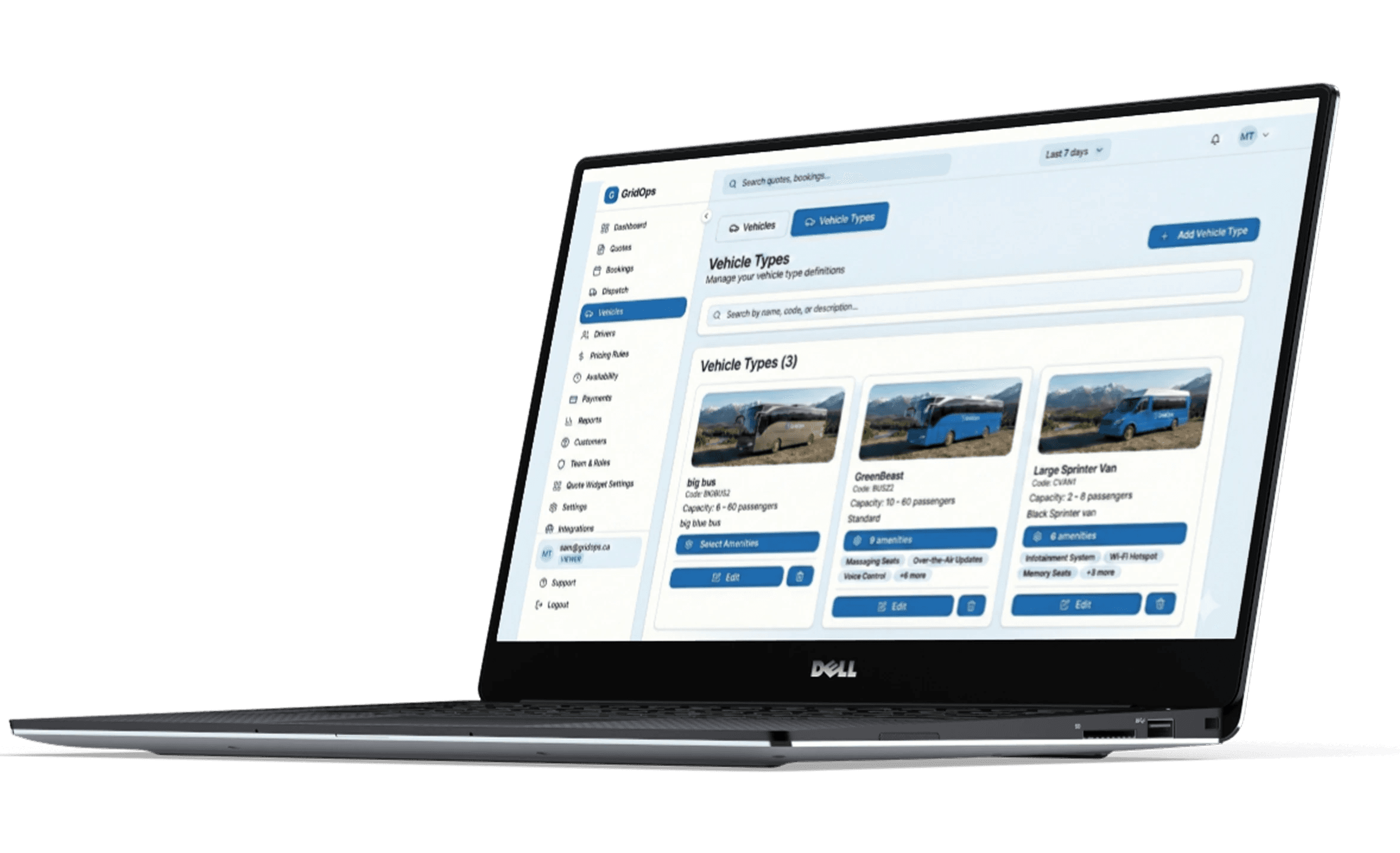
Core Philosophy
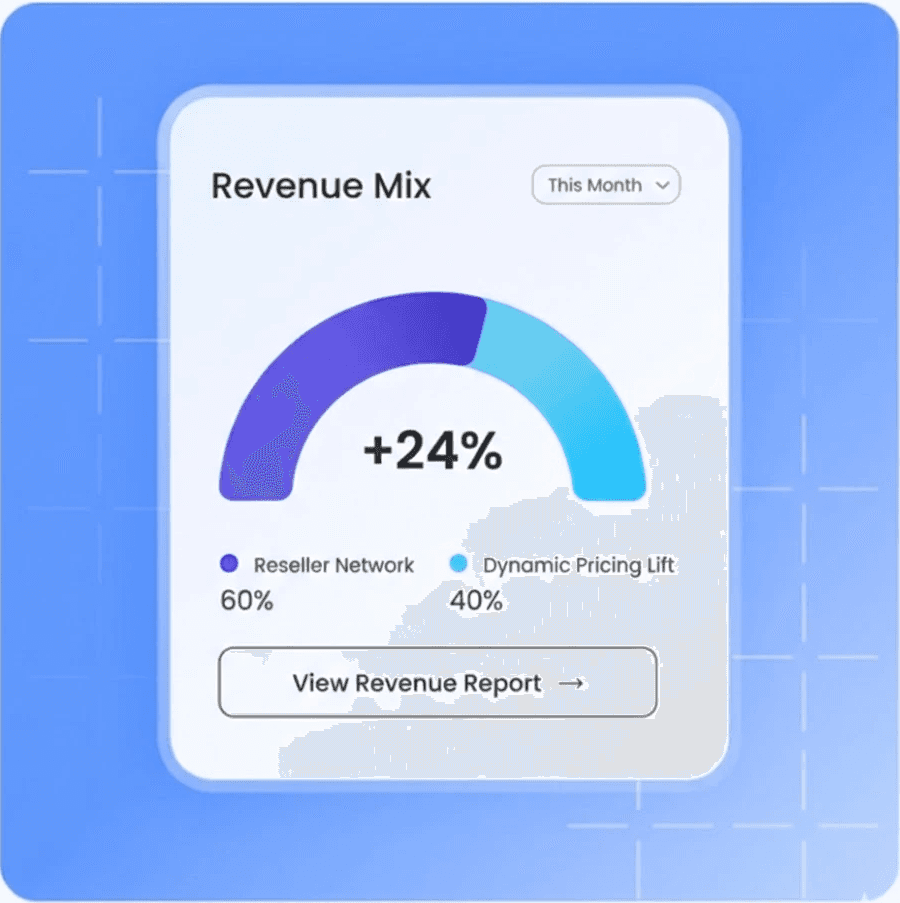
Sell more, in more places
Tools created so you stop leaving money on the table. We provide the connectivity and intelligence you need to maximize profit on every mile.
Automatically connect to major resellers like CharterUp, plus local hotels and tour operators
Use dynamic pricing logic to maximize revenue on every single trip.

Sell more, in more places
Tools created so you stop leaving money on the table. We provide the connectivity and intelligence you need to maximize profit on every mile.
Automatically connect to major resellers like CharterUp, plus local hotels and tour operators
Use dynamic pricing logic to maximize revenue on every single trip.
Sell more, in more places
Tools created so you stop leaving money on the table. We provide the connectivity and intelligence you need to maximize profit on every mile.
Automatically connect to major resellers like CharterUp, plus local hotels and tour operators
Use dynamic pricing logic to maximize revenue on every single trip.
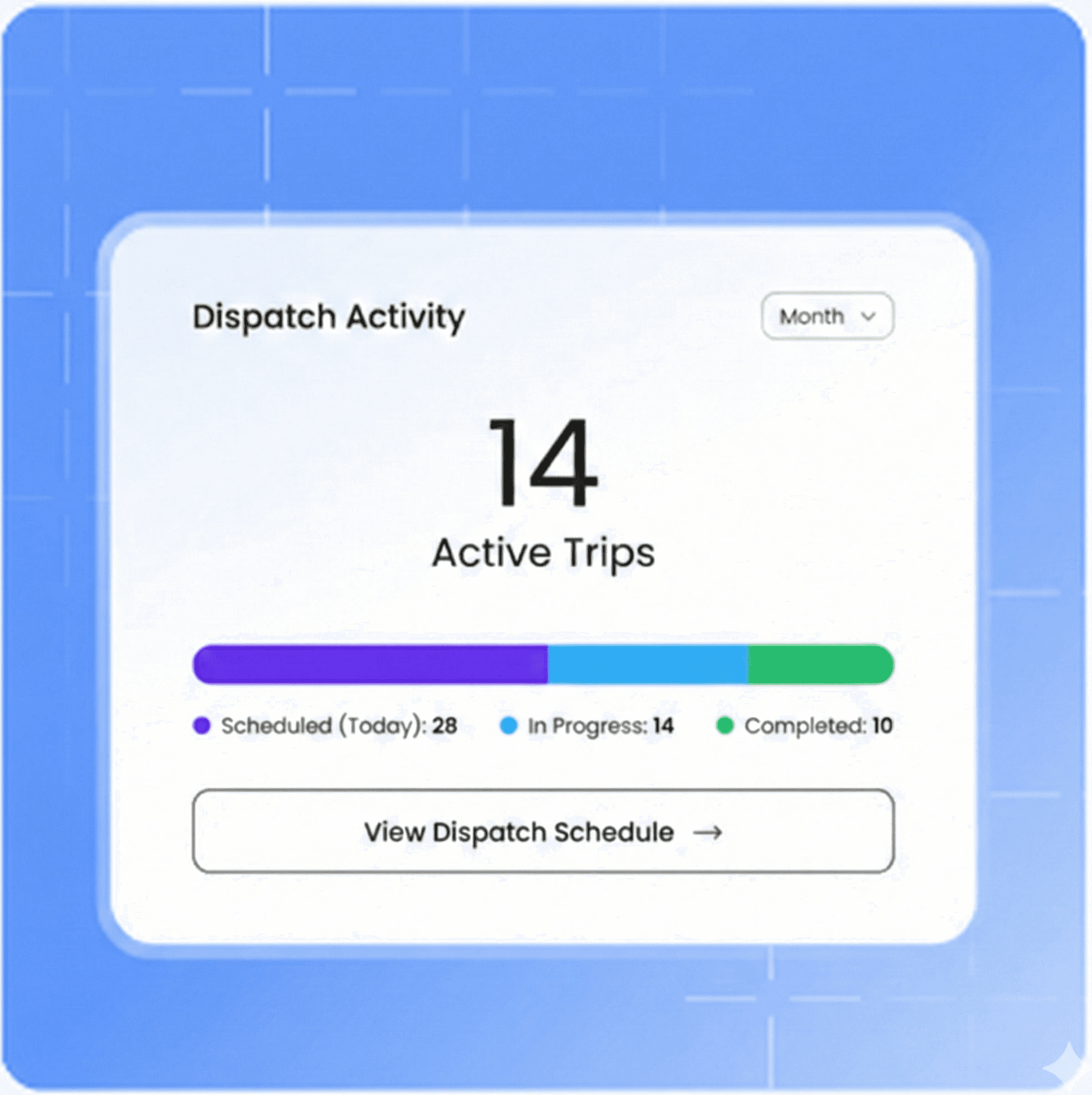
Operation effiency
GridOps is built by operators who understand the challenges you face every day. We created the tools you need to run your business faster, better, and more effectively.
Smart Dispatch: Instantly assign drivers and vehicles with conflict-free scheduling logic.
Reporting & Analytics: Stop guessing. View your fleet's performance and revenue metrics in real time.
Operation effiency
GridOps is built by operators who understand the challenges you face every day. We created the tools you need to run your business faster, better, and more effectively.
Smart Dispatch: Instantly assign drivers and vehicles with conflict-free scheduling logic.
Reporting & Analytics: Stop guessing. View your fleet's performance and revenue metrics in real time.
Operation effiency
GridOps is built by operators who understand the challenges you face every day. We created the tools you need to run your business faster, better, and more effectively.
Smart Dispatch: Instantly assign drivers and vehicles with conflict-free scheduling logic.
Reporting & Analytics: Stop guessing. View your fleet's performance and revenue metrics in real time.

Passanger Satisfaction
Modern travelers won't wait for business hours to get a quote. GridOps empowers you to capture revenue 24/7 with a seamless, instant booking experience.
Capture revenue 24/7 with real-time, direct-to-consumer booking on your website.
Deliver immediate peace of mind with automatic booking confirmations.
Passanger Satisfaction
Modern travelers won't wait for business hours to get a quote. GridOps empowers you to capture revenue 24/7 with a seamless, instant booking experience.
Capture revenue 24/7 with real-time, direct-to-consumer booking on your website.
Deliver immediate peace of mind with automatic booking confirmations.
Passanger Satisfaction
Modern travelers won't wait for business hours to get a quote. GridOps empowers you to capture revenue 24/7 with a seamless, instant booking experience.
Capture revenue 24/7 with real-time, direct-to-consumer booking on your website.
Deliver immediate peace of mind with automatic booking confirmations.
Pricing
Transparent Pricing
Transparent Pricing
Founding operator pricing is open
$40
per bus per month. Everything included.
Founding operators pay $20 per bus, locked for 3 years. First 10 operators only.
✓
Never pay a % of your charter bookings
✓
Every feature included, no gated features
✓
No per-user fees or long-term contracts
✓
30-day free trial
✓
Payments go straight to your own Stripe
Founding operator pricing is open
$40
per bus per month. Everything included.
Founding operators pay $20 per bus, locked for 3 years. First 10 operators only.
✓
Never pay a % of your charter bookings
✓
Every feature included, no gated features
✓
No per-user fees or long-term contracts
✓
30-day free trial
✓
Payments go straight to your own Stripe
Founding operator pricing is open
$40
per bus per month. Everything included.
Founding operators pay $20 per bus, locked for 3 years. First 10 operators only.
✓
Never pay a % of your charter bookings
✓
Every feature included, no gated features
✓
No per-user fees or long-term contracts
✓
30-day free trial
✓
Payments go straight to your own Stripe
FAQ
Does GridOps offer instant charter booking?
Yes. GridOps uses an automated quoting engine that calculates costs based on your specific fleet logic, driver hours, and Alberta-specific pricing rules. Customers get a quote in seconds and can pay immediately via Stripe. You go from lead to "paid" without a single phone call
How does the payment system work?
We connect your own Stripe account directly to the GridOps engine. This means payments go straight from your customer’s credit card to your bank account. We are not a middleman. You get your money instantly and we stay 100% out of your cash flow.
Can I customize my pricing rules?
Absolutely. You have total control over your "Pricing IQ." You can set base rates, hourly minimums, mileage surcharges, and peak-season multipliers. The system is flexible enough to handle everything from a simple airport transfer to a multi-day tour.
Is the platform secure?
GridOps is 100% PCI compliant. We follow strict security protocols to ensure that your customer data and financial transactions are protected. We never store credit card numbers on our servers. All sensitive data is handled by Stripe’s enterprise-grade security.
6. How long does it take to get started?
Most Canadian operators are up and running in less than 24 hours. Once you input your fleet details and pricing rules, you can start taking automated reservations immediately.
Does GridOps offer instant charter booking?
Yes. GridOps uses an automated quoting engine that calculates costs based on your specific fleet logic, driver hours, and Alberta-specific pricing rules. Customers get a quote in seconds and can pay immediately via Stripe. You go from lead to "paid" without a single phone call
How does the payment system work?
We connect your own Stripe account directly to the GridOps engine. This means payments go straight from your customer’s credit card to your bank account. We are not a middleman. You get your money instantly and we stay 100% out of your cash flow.
Can I customize my pricing rules?
Absolutely. You have total control over your "Pricing IQ." You can set base rates, hourly minimums, mileage surcharges, and peak-season multipliers. The system is flexible enough to handle everything from a simple airport transfer to a multi-day tour.
Is the platform secure?
GridOps is 100% PCI compliant. We follow strict security protocols to ensure that your customer data and financial transactions are protected. We never store credit card numbers on our servers. All sensitive data is handled by Stripe’s enterprise-grade security.
How do I sign up for the app?
Most Canadian operators are up and running in less than 24 hours. Once you input your fleet details and pricing rules, you can start taking automated reservations immediately.

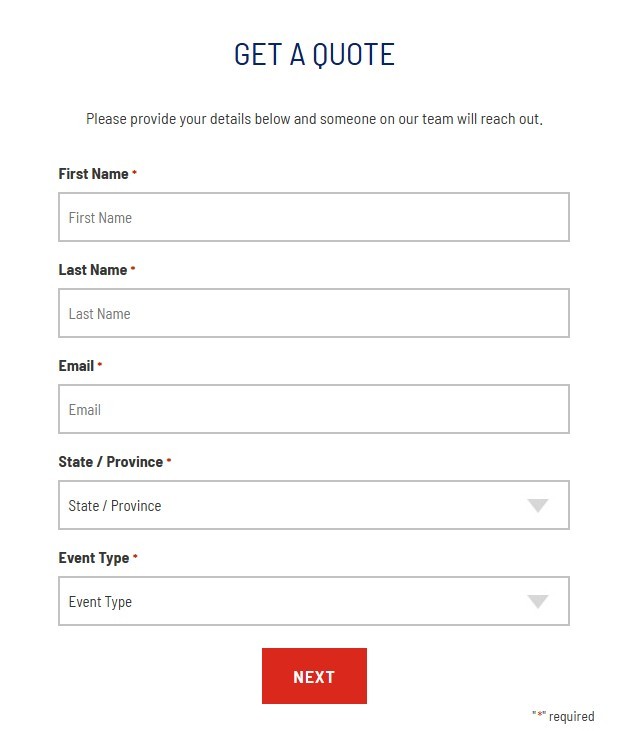
Kill the “Request a Quote” Button.
Stop forcing customers to wait 24 hours for a PDF.
Give them real-time pricing and instant booking on your website today.
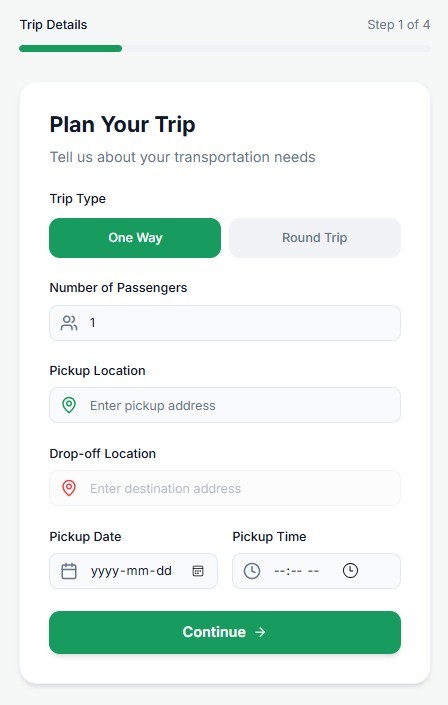
Kill the “Request a Quote” Button.
Stop forcing customers to wait 24 hours for a PDF.
Give them real-time pricing and instant booking on your website today.
Kill the “Request a Quote” Button.
Stop forcing customers to wait 24 hours for a PDF. Give them real-time pricing and instant booking on your website today.

Gridops
Gridops